Features
The software behind every sale.
Create offers from your eligible FBA inventory, sell them through buttons, links and QR codes, look after every customer, and see what each placement sold. Every plan includes all of it.
Screens show the Final Whistle demo account with sample orders.
01Sell anywhere
One offer. Every way to buy.
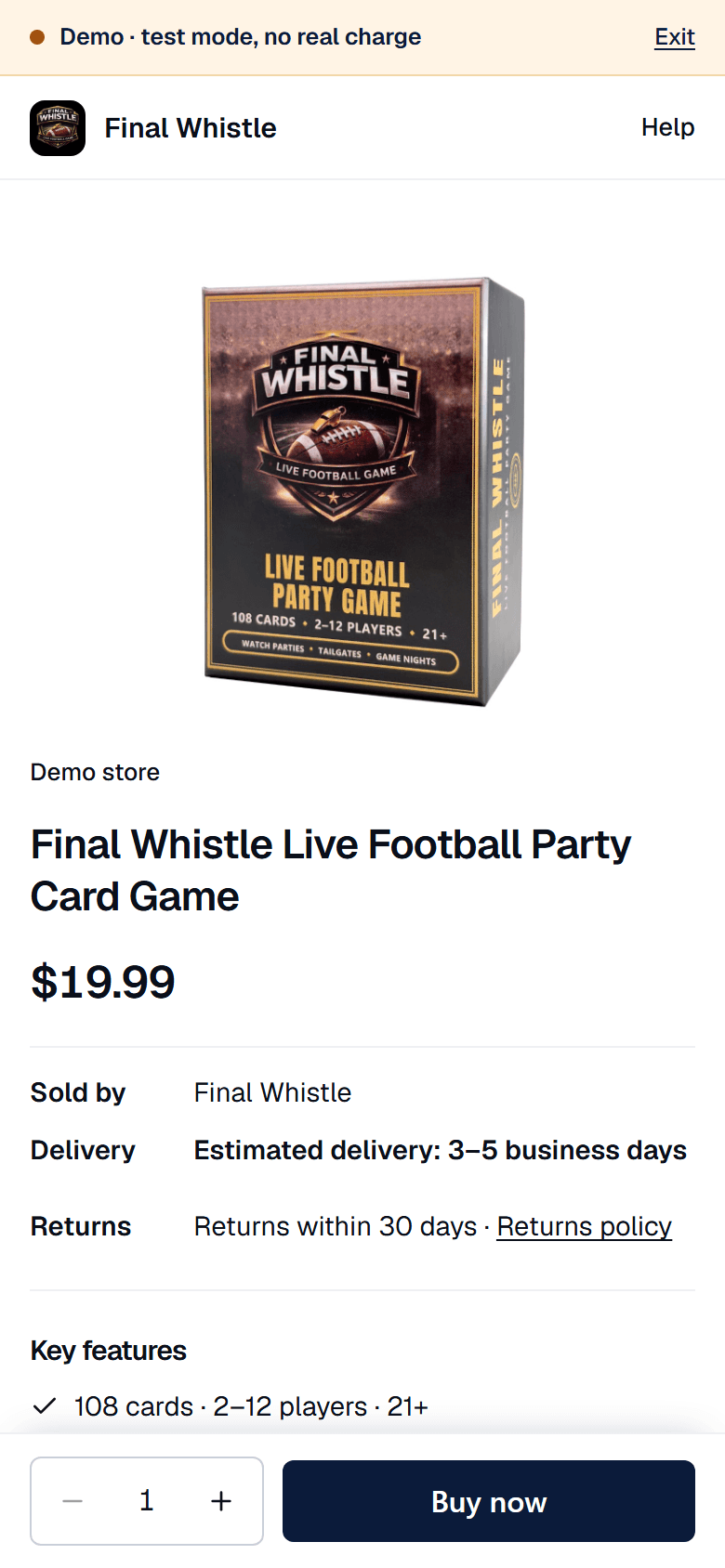
Each offer is one product from your eligible FBA inventory at one price, with its own buy button, purchase link and QR code. Give each partner or placement its own offer, so its sales stay separate.
Buy buttons
On pages that allow embedded codePaste two lines into a landing page, campaign site or partner page. The button opens Stripe Checkout in your business name.
More about buy buttons and purchase linksPurchase links
Posts, bios, emailA short link for anywhere you can paste one. It opens Stripe Checkout on any phone, with a way back to your product details.
More about buy buttons and purchase linksQR codes
Packaging, displays, printPrint-ready PDFs at 1, 2, 4 or 8 in, plus SVG and PNG. A scan opens Stripe Checkout, and the code keeps working when you edit the offer.
More about QR code checkout
02Grow with partners
Partners sell. You see what each one sold.
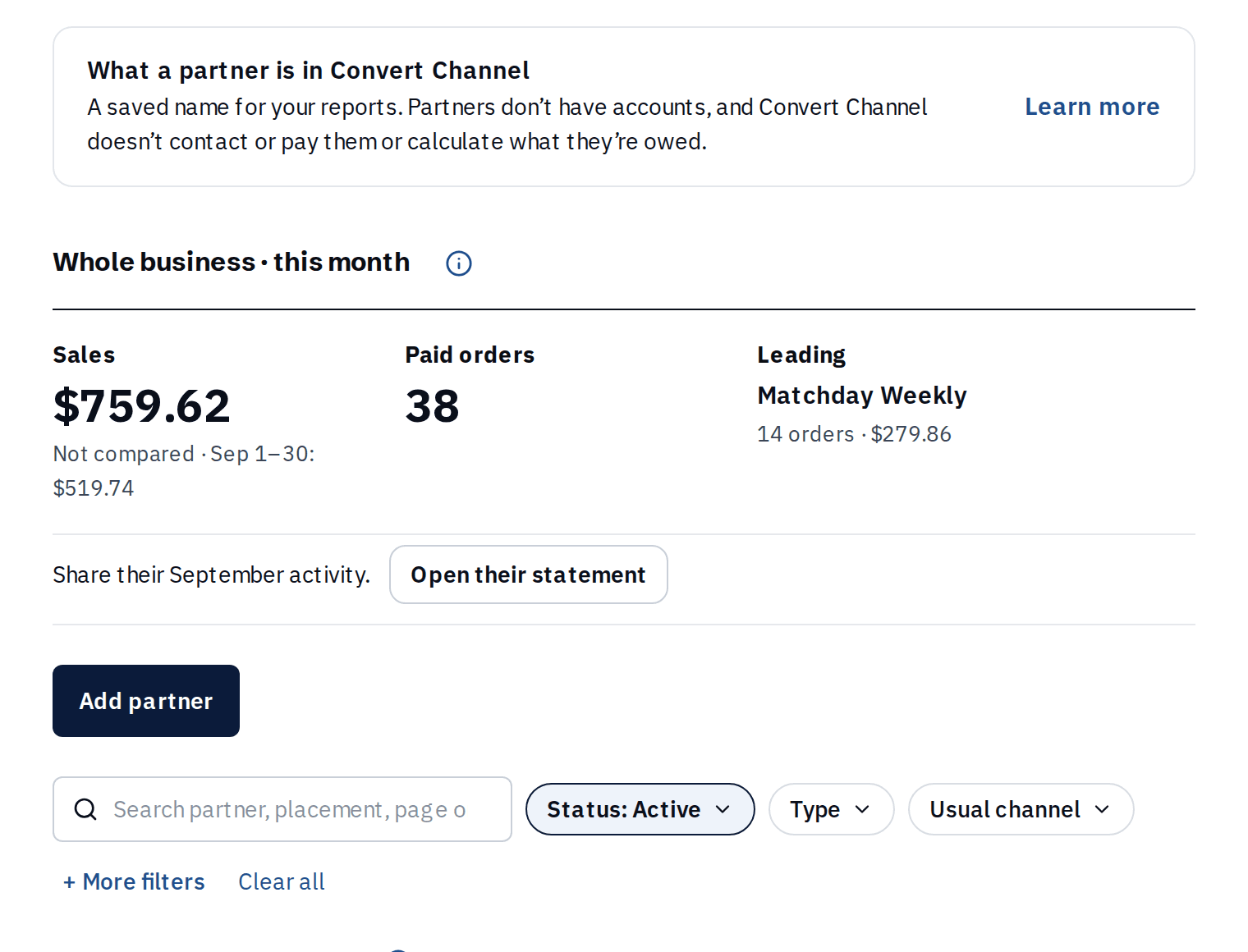
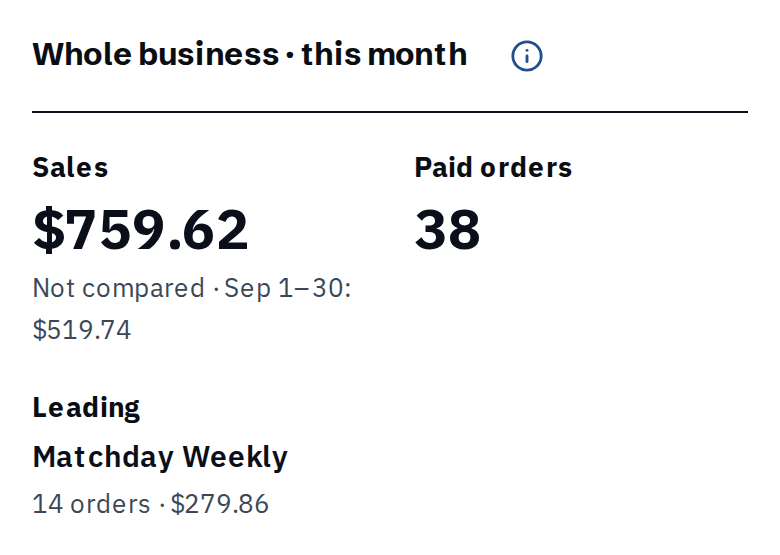
Add the creators, publishers and authorized resellers you work with, and give each one their own offer. Every order is credited to the offer it came through.
Partners
Statements for each partnerA saved name for your reports. Partners don’t need an account. You agree any commission or fee with them yourself.
More about partners and resellersCampaigns
OptionalGroup offers for a launch, a season or a partner program, and see their orders and item sales together.
More about campaigns
03Look after every order
From payment to delivery, in your name.
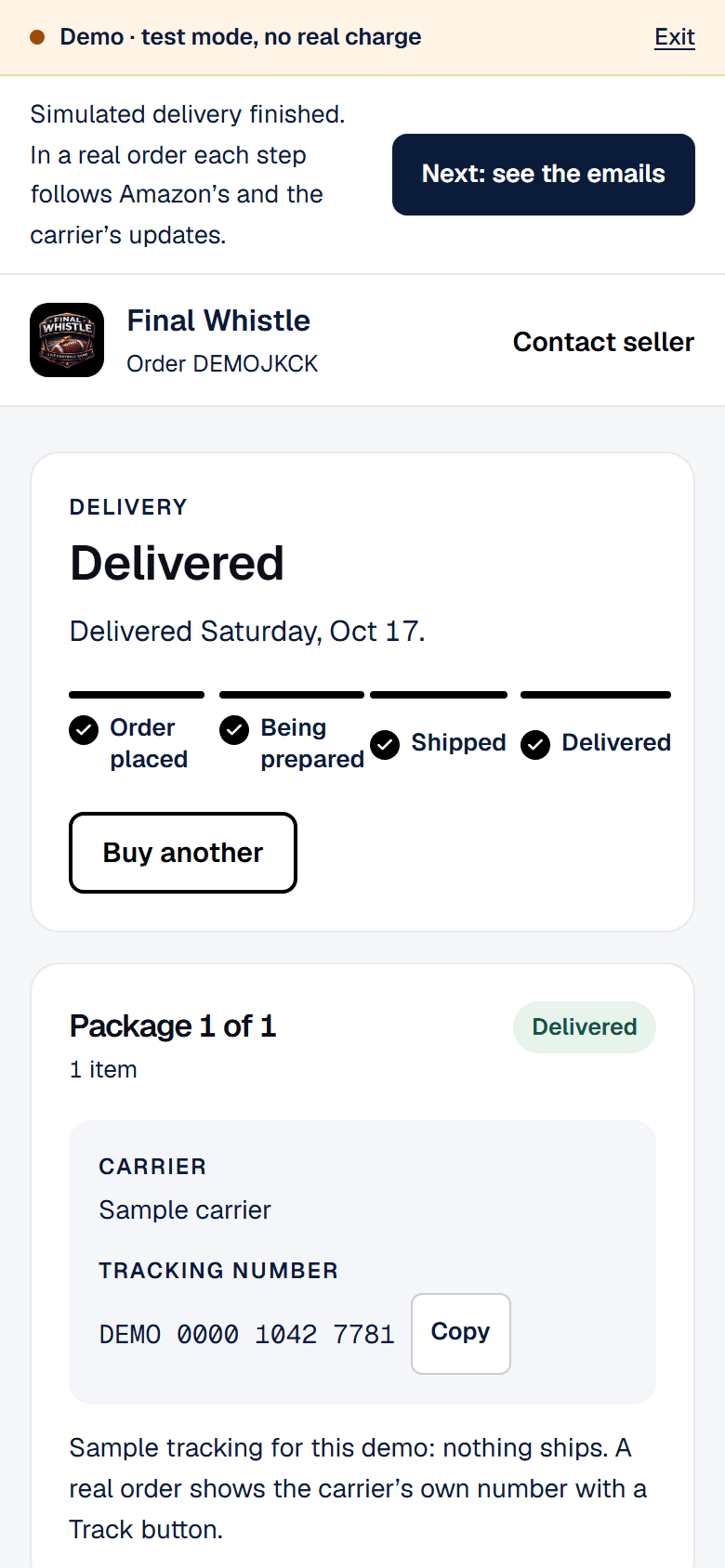
Customers pay into your Stripe account. Amazon ships from your eligible FBA inventory through Multi-Channel Fulfillment, and your customer follows the order on a page in your name.
Customer order page
No account or appEvery paid order gets a private page with tracking as Amazon reports it, your contact details, your returns policy and a way to reach you.
More about customer order hubOrder workspace
For youPayment, fulfillment status and a timeline on one page. Where dispatch is held, you release each paid order to Amazon. Refund in full or in part through Stripe.
More about the order workspace
04Know what works
See what each placement sold.
Reports credit every order to its offer, partner, placement and campaign. Monthly statements give your books one fixed record per month.
Reports
By offer, partner, placementItem sales, orders and refunds for any period. Exports can include each line’s Stripe payment, refund or dispute ID.
More about reportsMonthly statements
PDF, Excel and CSVSales, refunds, disputes and Stripe fees for each month. Closed months never change; a late refund appears in the next open month.
More about monthly statements
Breakdown by offer
Final Whistle (sample data) · this month · USD
| Offer | Item sales |
|---|---|
| playfinalwhistle.comProduct page | $359.8216 orders |
| Matchday Weekly reviewMatchday Weekly (sample) · Matchday Weekly review | $319.8414 orders |
| @tabletopnight biotabletopnight (sample) · @tabletopnight bio | $219.8910 orders |
| October newsletterOctober newsletter | $209.945 orders |
| The Game Shelf gift guideThe Game Shelf (sample) · Holiday gift guide | $199.927 orders |
| Stadium flyersStadium flyers | $116.918 orders |
| Total | $1,426.3260 orders |
On every plan
Everything else, by area.
Sell wherever customers discover your product
A way to buy in every place your product is seen, online and offline, in the format that place allows.
Buy buttons and purchase links
An embedded buy button for any website that allows embedded code, yours or a partner’s, which opens Stripe Checkout. A purchase link for posts, bios, articles and email, which opens Stripe Checkout directly, with a way back to your product details.
Read more: Buy buttons and purchase linksQR code checkout
A print-ready code for signs, flyers and screens, with its short address. A scan opens Stripe Checkout.
Read more: QR code checkoutThe right format for each place
Choose where the offer goes and see which formats fit, with that place’s own rules.
Placement ideas: The right format for each placeTV, podcasts and print
On-screen codes and short web addresses that are easy to say.
Placement guide: TV, podcasts and print
Turn resellers and creators into sales channels
Partners promote your product. You stay the seller, and you see what each one sells.
Partners and resellers
Each reseller, creator or publisher gets their own offer, with your approved product details and price. Every completed sale and refund is credited to it.
Read more: Partners and resellersCampaigns
Group offers for a launch, a season or a partner program, and compare what each sells.
Read more: CampaignsPartner statements
What each partner sold and what was refunded, without customer details, so you can settle what you agreed.
Help: Partner statementsAgreement notes
Keep a private note of what you agreed with each partner. It stays with you: it isn’t on their statements.
Spreadsheet import
Create draft offers or partners in bulk from Excel or CSV, with every row checked first.
Help: Spreadsheet import
Customers pay through your Stripe account and Amazon ships from your FBA inventory. Partners never take payment or hold stock. You agree and pay any commission yourself; Convert Channel doesn’t calculate or pay it.
Expand without another store
More places to buy, using the payment account and inventory you already have.
Purchase pages in your name
Your product, price and seller details, in your name. Customers can go back to it from checkout, and see it when checkout can’t start.
Help: Purchase pages in your namePaid to your own Stripe account
Customers pay you directly through Stripe Checkout. Convert Channel never holds the money.
Shipped from your FBA inventory
Amazon Multi-Channel Fulfillment ships each paid order from your eligible FBA inventory once you release it from its order page.
Customer order hub
A private page for every order, in your name: tracking as Amazon reports it, your contact details, returns policy and a way to contact you.
Read more: Customer order hubRelease to Amazon
Where dispatch is held, every paid order waits until you release it to Amazon.
Refunds
Refund in full or in part through Stripe. The order updates when Stripe completes the refund.
Order workspace
Refund in full or in part.
Read more: Order workspaceSales tax with Stripe Tax
A checklist for Stripe Tax in your own Stripe account, then tax collected at checkout.
Help: Sales tax with Stripe Tax
Know which placements produce sales
See what to repeat, what each partner sold and what to stop.
Results by offer, partner and campaign
Orders, item sales and refunds. Completed purchases only, never clicks or scans.
Help: Results by offer, partner and campaign7 breakdowns
Offer, campaign, partner, placement, channel, format and product (SKU), for any period.
Monthly statements
Sales, refunds and Stripe fees for each month, as Excel, CSV or PDF, with Stripe and Amazon references. Closed months never change.
Read more: Monthly statements
Credit is per offer: give each placement its own offer to see it on its own. Two placements that share one offer are counted together.
- Item sales
- $1,839.08
- Refunds
- −$59.97
- Stripe fees
- −$66.84
- Net payment activity
- $1,712.27
Keep control as you grow
The product, price, partner access and customer care stay yours.
Pause, archive and duplicate
Pausing stops sales everywhere at once: the button, the links and the QR code. Resume or duplicate it whenever you like.
Help: Pause, archive and duplicateCheckout that follows your stock
Checkout closes while Amazon reports it can’t ship the item, and reopens when it can.
Owner-only connections and an audit log
Only the owner connects Amazon and Stripe. Changes to settings and offers are recorded.
Help: Owner-only connections and an audit logPublic status page
Current status, how your data is handled, and what each provider can access, on one public page.
View status: Public status page
Integrations
What Convert Channel connects to today.
Amazon Multi-Channel Fulfillment
Connect your Amazon seller account, so orders ship from your FBA inventory.
How to connect: Amazon Multi-Channel FulfillmentStripe
Connect your own Stripe account, so customers pay you through Stripe Checkout.
How to connect: Stripe
- No share of your salesA flat monthly plan. Stripe and Amazon fees still apply.
- Paid into your Stripe accountConvert Channel never holds the money.
- Shipped from your FBA inventoryFor Amazon US sellers, shipping to US addresses.
Grow beyond marketplaces.
Flat plans from $19 a month. No share of your sales.