Sell from your own pages
Buy buttons and purchase links
Choose the format for the place
One offer, ready for every place.
Shoppers pay in Stripe Checkout in your business name, into your own Stripe account, and Amazon ships the order from your FBA inventory.
Buy button
Pages that allow embedded codeTwo lines of code for landing pages, campaign sites and partner pages. Opens Stripe Checkout.
Purchase link
Posts, bios, emailA short link for anywhere you can paste one. It opens Stripe Checkout on any phone, with a way back to your product details.
How it works
- Step 1:
Create the offer
Choose an eligible SKU and set your price.
- Step 2:
Copy the button or link
Paste the button into a page that allows embedded code, or share the link.
- Step 3:
See what it sold
Every order is credited to the offer it came through.
What you get
- Stripe Checkout in your business name, charged on your own Stripe account. We never hold your money.
- Once checkout opens, paid orders are sent once each to Amazon Multi-Channel Fulfillment, from your FBA inventory, as you release them.
- One offer for every place you sell: your own site, partner reviews and buying guides, creator bios and captions, newsletters and email.
- Edit the price or style any time; the embed code, links and printed codes keep working.
- Pause, resume, duplicate or archive an offer; paused and archived ones show “Not available right now”, never a broken page.
- Each sale credited to one offer, with the version, price and partner it sold under kept on the order.
Step by step, in detail
- Step 1:
Make one offer
One product at one price. Pick one of your Amazon FBA SKUs, name it in your words, and set the price, and optionally a max quantity per order. Publishing checks with Amazon that it can ship.
- Step 2:
Embed the button
Two lines of code on any page that accepts HTML, styled with your fonts, colors and corners. Contrast is checked so the button stays readable. It can stand alone on your existing product page, and a click goes straight to Stripe Checkout. Style changes reach the live button without pasting the code again.
- Step 3:
Share the purchase link
A full link and a short cnvchl.com link to the same checkout, for bios, captions, newsletters and texts where a button can't go.
- Step 4:
Print the QR code
The same offer as a printable QR code. Its button, links and code share one tracking ID and count once on your plan.
Already have a product page? Add just the buy button.
Keep your existing photos and content, and place the button where shoppers are ready to buy. A click opens Stripe Checkout directly, which still shows the product name, price, quantity and shipping. A purchase link or QR code opens Stripe Checkout directly too, with a way back to your product details.
Example · Final Whistle
A reader buys from a review
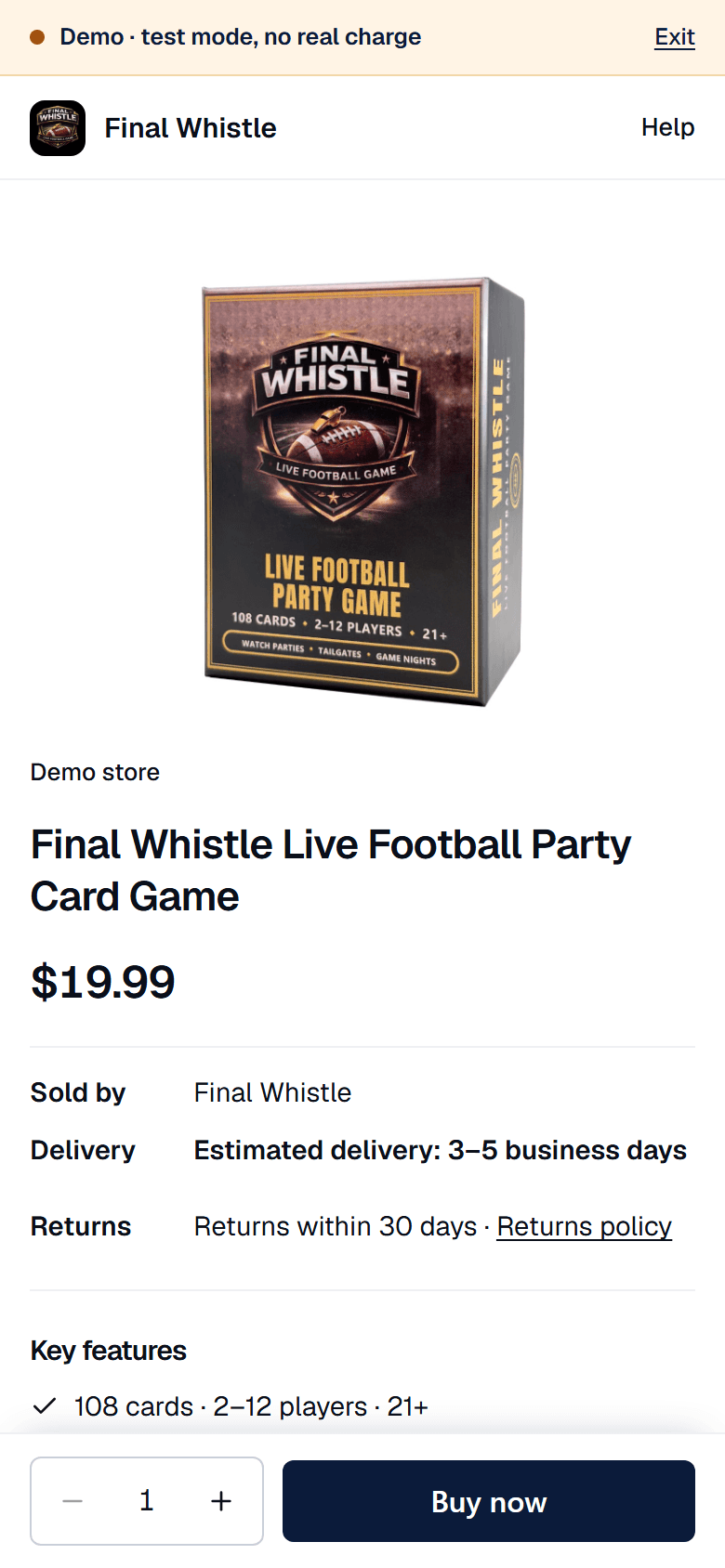
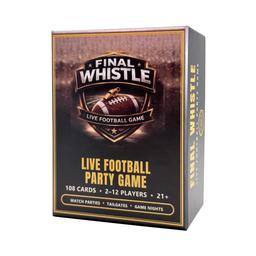
Matchday Weekly adds a buy button for the Final Whistle Live Football Party Card Game to its review. A reader taps Buy and pays $19.99 in Stripe Checkout in Final Whistle’s name; the money goes to Final Whistle’s own Stripe account.
Amazon ships the game from Final Whistle’s FBA stock, and the reader gets an order hub with tracking. Each sale is credited to the Matchday Weekly review offer: 14 orders and $319.84 in item sales from October 1 to 17.


In depth
How an offer is made
One offer. Three formats.
An offer is one product, at one price, ready to sell as a buy button, purchase link or QR code.
Embedded button
From the page to Stripe Checkout.Two lines of code on any page that accepts HTML. Styled to match your page. Opens a secure Stripe checkout in your business name.
Purchase link
Less link. More room for your message.Every offer has a full link and a short one. Use the short link where space is tight: bios, captions, texts and print.
Printable QR code
A scan becomes a sale.Print-ready PDF from 1 to 8 inches, SVG or PNG.
- Counted onceButton, links and QR code are one offer on your plan.
- Your brandYour fonts, colors, corners and icons.
- Edit any timeChange price or style; links and printed codes keep working.
- Checked with AmazonYour SKU is confirmed fulfillable before you publish.
Omnichannel by design
Where a button or link fits.
Same product, same price, same checkout, online or off. Give each placement its own offer and see exactly what it sold. Digital placements take a button or a link; physical ones take a QR code.
- Your websiteDigitalLanding and product pages. Format: Buy button.
- CreatorsPartnersBios, captions and videos. Format: Short link.
- ReviewsPartnersPublishers and buying guides. Format: Buy button.
Buy from the demo store with a button, a link or a QR code.
About a minute. No real charge, nothing ships, no email is sent.
Questions
Do I need a website to sell with Convert Channel?
No. A purchase link works anywhere you can paste a link: social posts, bios, messages and email. The embedded button is for pages you can edit.
Where does the money go?
Customers pay through Stripe Checkout, charged on your own Stripe account. Apple Pay, Google Pay and Link appear on supported devices when they’re turned on in your Stripe payment method settings. Convert Channel never holds your funds and takes no share of the sale. Stripe charges its own payment fees.
Who ships the order?
Amazon, through Multi-Channel Fulfillment, from the FBA inventory you already hold. We confirm the SKU with Amazon before you publish and again before each order is sent, and each order is sent once. Orders Amazon can’t ship are flagged under Needs you.
Does the button slow my page down?
No. The script loads asynchronously, so your page never waits for it. While an offer is paused, or Amazon can’t ship it, the button shows your “not available” text.
Can I tell button sales from link sales?
Orders record whether checkout started from the embedded button or from a link or QR code. The full link, the short link and the QR code all open the same checkout, so their sales are counted together. For separate figures, make a tracking copy for each placement.
Do purchase links help my SEO?
No. Purchase links open Stripe Checkout, not your website, so they don’t pass search value. Keep a normal backlink to your own site for that.
One flat price. No share of your sales, no fee per order.
Flat plans from $19 a month.