Campaigns
Campaigns
What you get
What comes with it on every plan.
It’s optional: an offer belongs to one campaign or to none, and each order keeps the campaign it was placed under.
- Campaign figures from the same lines as your reports, so the campaigns plus “No campaign” add up to all orders.
- Renaming keeps the old name as a former name, so earlier orders still count.
- Archive and restore, with Undo. Archived campaigns’ offers keep selling.
- Export the campaign list to CSV or Excel.
How it works
- Step 1:
Create it
A name, and if you like a partner, dates and private notes. Dates never start or stop selling.
- Step 2:
Add offers
Choose the campaign when you build an offer, or set it for several offers at once.
- Step 3:
See the results
Each campaign’s orders, item sales and refunds, by offer, partner and product.
Step by step, in detail
- Step 1:
Create it
A name, and if you like a partner, start and end dates and private notes. Dates are labels for your reports; they never start or stop selling.
- Step 2:
Add offers
Choose the campaign when you build an offer, or select several on the Offers list and set their campaign at once.
- Step 3:
Give it its own contact
Optionally, customers of the campaign’s offers see a different support email, and a phone and hours if you add them. An offer’s own contact still comes first.
- Step 4:
See the results
Each campaign’s orders, item sales and refunds for a month or all time, with breakdowns by offer, partner and product.
Example · Final Whistle
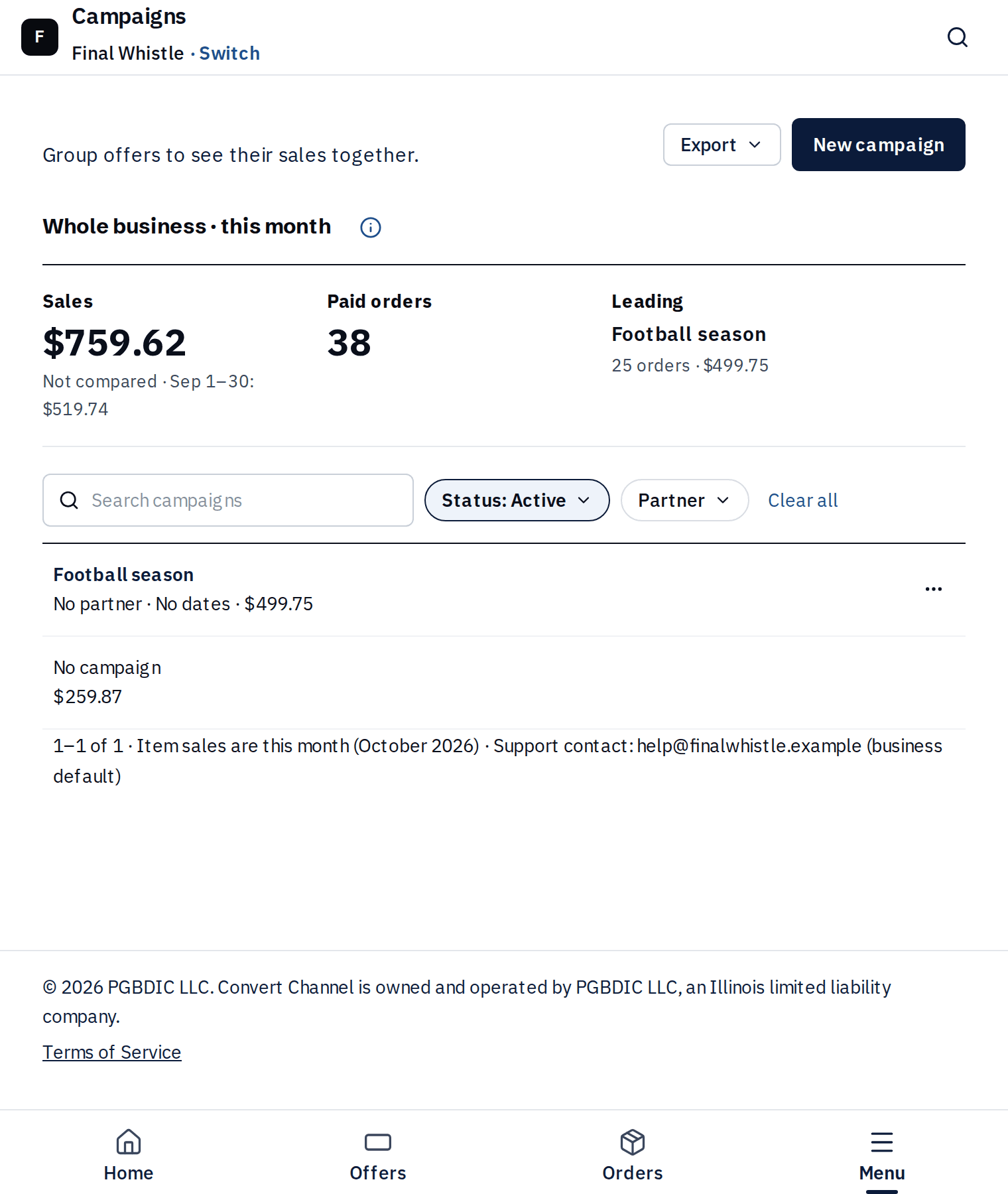
A football season
Final Whistle groups the Matchday Weekly review and the @tabletopnight bio under its “Football season” campaign. In September that campaign had 16 orders and $319.84 in item sales, next to 10 orders and $199.90 from offers without a campaign.
When the season ends, Final Whistle archives the campaign. Its offers keep selling, and the season’s figures stay in its reports.
In depth
Campaigns
How a campaign fits your reports.
For example: a publisher creates “Fall Kickoff” with dates from September to October and adds four offers, a review article, two creator links and a venue QR code. It checks the campaign each week, and when the season ends it archives the campaign; the offers keep selling and the season’s figures stay in its reports.
- One campaign or noneAn offer belongs to one campaign or to none. Campaign figures come from the same lines as your reports, so the campaigns plus “No campaign” add up to all orders.
- Orders keep their campaignEach order keeps the campaign it was placed under. Moving an offer or renaming a campaign later never moves earlier sales; the old name is kept as a former name.
- Dates are labelsStart and end dates describe the campaign in your reports. They never start or stop selling; pause or archive the offers for that.
- Its own contact, if you want oneCustomers of the campaign’s offers can see a different support email, and a phone and hours if you add them. An offer’s own contact still comes first.
Buy from the demo store and see the support contact your customers get.
About a minute. No real charge, nothing ships, no email is sent.
Questions
Do campaign dates start or stop sales?
No. They’re labels for your reports. Pause or archive the offers to stop selling.
What happens to orders if I move an offer to another campaign?
Orders already placed stay in the campaign they were placed under. New orders count under the new one.
Can a campaign have its own support contact?
Yes. Customers of its offers see the campaign’s support email, and its phone and hours if you add them. An offer’s own contact still comes first, and each order keeps the contact it was placed with.
What happens when I archive a campaign?
It’s hidden from your lists and pickers, and its offers keep selling. If it had its own support contact, new orders use your business contact; orders already placed keep theirs.
One flat price. No share of your sales, no fee per order.
Flat plans from $19 a month.