After the sale · for you
Order workspace
Looking for what your customer sees? Customer order hub
From the order
What you can do from an order
Each one is on the order page in your dashboard.
Payment and shipping on one page
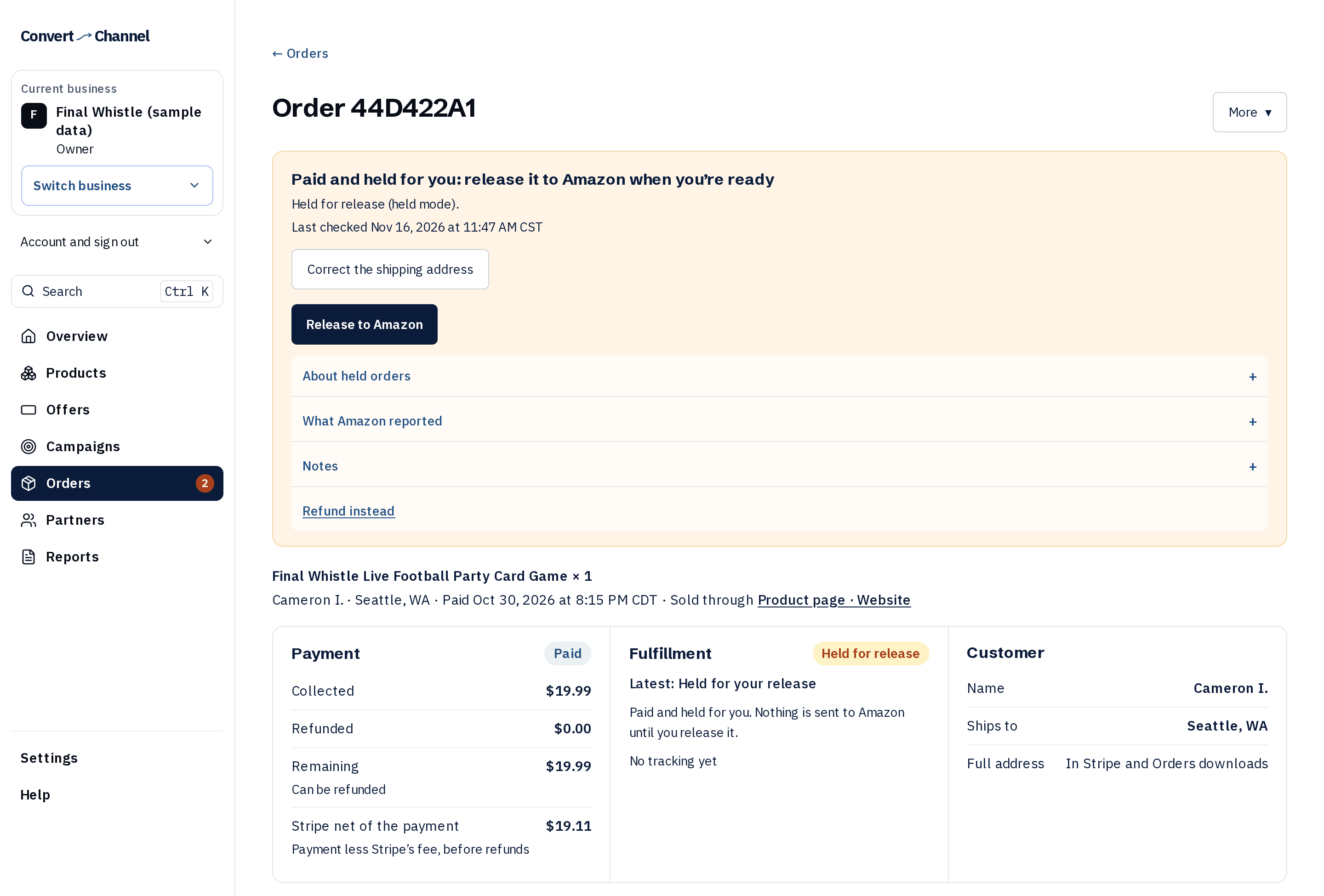
Each order shows its payment, its fulfillment status and a timeline, with the Stripe payment and Amazon order references ready to copy. Orders Amazon can’t ship are flagged under Needs you.
Help: where is my customer’s order?Release to Amazon
While dispatch is heldPaid orders wait until you release each one to Amazon from its order page.
Full and partial refunds
Refund all or part of an order from the order page, through your Stripe account. The refund is listed on the order and in your reports.
Help: refunds and cancellationsYour customer’s order page link
Copy the link to your customer’s order page from the order to send it yourself, or replace or revoke it if it reached the wrong person. Earlier links stop working.
Help: a customer can’t open their order page
How it works
- Step 1:
Open the order
Payment, fulfillment status and a timeline, with the Stripe payment and Amazon order references.
- Step 2:
Release it to Amazon
While dispatch is held, the paid order waits until you release it.
- Step 3:
Refund if you need to
In full or in part, through your Stripe account. The refund is listed on the order and in your reports.
You stay in control
- Refunds go back to the customer’s original payment through your Stripe account.
Examples
How merchants use it
Short examples from a fictional business.
A damaged box
A Northfield Supply Co. customer writes that the box arrived dented. Northfield refunds $5.00 of the order from the order page, and the refund is listed on the order and in its reports.
Northfield Supply Co. is a fictional merchant used for illustration.
Questions
On every order
What happens after someone buys?
The payment completes in Stripe. You release the paid order from its order page, and it goes to Amazon Multi-Channel Fulfillment from your FBA stock. Tracking appears on the order in Convert Channel and on your customer’s order hub once Amazon ships, as Amazon reports it.
What if Amazon is out of stock or can’t ship?
We check with Amazon before you publish and keep checking. While Amazon can’t ship the SKU, checkout is closed and the button shows your “not available” text. If Amazon rejects a paid order, it appears under Needs you so you can refund or retry.
Will the package say Amazon?
It can. You can ask for unbranded packaging when your Amazon account allows it for the SKU; Amazon decides what it supports, chooses the carrier, and tracking may still show Amazon.
Related:Customer order hubMonthly statementsAll questions in Help
See the order page your customer gets, then ask the seller a question.
About a minute. No real charge, nothing ships, no email is sent.
One flat price. No share of your sales, no fee per order.
Flat plans from $19 a month.