How it works
From first link to delivered order.
01Set up
Connect what you already use.
You need an Amazon seller account (US marketplace) with FBA inventory eligible for Multi-Channel Fulfillment, and a Stripe account.
Choose a plan
Business details and drafts are free; connecting and publishing start with a paid plan.Connect Amazon
Authorize Convert Channel in Seller Central.Connect Stripe
Customer payments go to this account. Convert Channel never holds the money.Check a SKU and set your price
Pick a product from your FBA inventory. Convert Channel checks that Amazon can ship it.Publish your first offer
Your product and price, with a buy button, purchase link and QR code.
02Work with partners
Give each partner their own offer.
You agree any commission or fee with each partner. Convert Channel shows the orders, item sales and refunds credited to their offers; it doesn’t calculate or pay commissions.
Add a partner
Add the creator, publisher or authorized reseller in Partners.Give them an offer
Create an offer and associate it with that partner and placement.Share its format
A buy button for pages that allow embedded code, a purchase link for posts and bios, or a QR code for print.Review the results
Reports show what their offer sold.
03Each order
What happens when someone buys.
Once checkout opens: the customer buys from you, and the partner brings them to your offer.
They tap or scan
A buy button, purchase link or QR code opens Stripe Checkout. They can go back to your product details from there.They pay
Stripe Checkout, in your business name, into your Stripe account.You release it to Amazon
Paid orders wait until you release them.While dispatch is heldAmazon ships it
From your eligible FBA inventory, to a US address. The customer follows it on their order page.The sale is credited
To the offer it came through, with its partner, placement and campaign.
04You release
You release every paid order.
Nothing is sent to Amazon automatically today. A paid order waits in Orders until you look at it and send it.
The order is paid
It appears in Orders marked “Held for release”.You choose Release to Amazon
Check the order, then choose “Send to Amazon now”, or “Keep it held” if you need more time.Your stepAmazon ships it
From your FBA inventory. Orders then shows its progress: At Amazon, Shipped, Delivered.
The shorter path
Put the purchase where the interest is.
Interest peaks the moment someone sees your product: in a post, a review, on a flyer or a package. The usual path sends them off to search, and every extra step is a chance to get distracted, compare or forget. An offer lets them pay right there.
Same shopper. Same moment of interest.
The usual path · seven steps
Sent off to search. Seven steps and five chances to lose them.
- Sees it in a post
- Leaves to searchWhere the sale can slip away: Interest cools
- Lands on a marketplaceWhere the sale can slip away: Meets competitors
- Scrolls the resultsWhere the sale can slip away: Gets distracted
- Opens the product page
- Adds to cartWhere the sale can slip away: Second thoughts
- Checks outWhere the sale can slip away: Abandons
With Convert Channel · three steps
They buy right where they saw it. No search, no marketplace, no cart.
- Sees it right thereYour page, a post or a flyer
- Taps or scansButton, link or QR code
- Pays in Stripe CheckoutIn your name, on your Stripe account
Paid. Once checkout opens, Amazon ships it after you release it. Done before the usual path even reaches the product page. Your customer gets an order hub with tracking.
- taps from seeing it to paying
- 2–3
- of your sales to us
- 0%
- a month to start
- $19
- Right thereThey buy where they saw itNo search, no store home page, no cart. The purchase sits next to the post, page or flyer that caught their attention.
- One listingThey don’t pass a page of competing listingsThe purchase page shows your product only, so shoppers don’t scroll a marketplace results page full of alternatives on the way.
- Stripe CheckoutA checkout they recognizeStripe Checkout in your business name. Apple Pay, Google Pay and Link appear on supported devices when they’re turned on in your Stripe payment method settings.
- AttributionEach sale is credited to its offerEach completed purchase is credited to the offer it came from: the page, post or print piece you gave it to.
Results depend on the placement and audience.
What happens after the tap
Your sale. Your Stripe account.
- ShopperTaps or scansFrom your page, a partner’s post or something printed.
- StripePays youCheckout in your name, straight into your own Stripe account.
- AmazonShips itMulti-Channel Fulfillment, from the FBA stock you already have.
- Convert ChannelCredits itTo the offer and partner, in a monthly statement that closes on schedule.
- Your customerTracks itOn their private order hub: each step as Amazon reports it, the tracking number and your contact details.
Who ships your orders
- SupportedAmazon FBA stock, shipped by Multi-Channel FulfillmentOrders ship from inventory you already hold at Amazon.
We never hold your money · Refund from the order page · Checkout closes while Amazon can’t ship · Every order gets a tracking hub.
Already using links?
Keep them. Add a place to buy.
Your links already bring people to you. An offer adds checkout where they find you, and credits each order to the place it came from.
Purchase links don’t pass search value, so keep normal backlinks for SEO.
Beyond marketplaces and your store
Keep your listing and your store. Add everywhere else.
Your Amazon listing reaches people who search Amazon. Your store reaches people who visit it. Convert Channel turns the other places they find you into places to buy, from the same FBA inventory.
- Your marketplace
Your Amazon listing
For people already searching Amazon. Keeps running as it is.
- Amazon search
- Your D2C store
Your own website
For people who come to you. Add a buy button to any page that accepts embedded code.
- Product pages
- Landing pages
- Convert Channel
Everywhere else they find you
Partner sites, streams, articles, newsletters, events, packaging and screens, each with its own offer. Sell from the eligible FBA inventory you already have, with no second inventory system or fulfillment provider to set up.
- Creators
- Publishers
- Resellers
- Events
- TV and podcasts

Under the hood
Two lines of HTML that load on any page that accepts it, and update themselves when you change the style.
- Install
- Two lines: a script and a div. Loads asynchronously, so the page never waits.
- Updates
- Style changes go live without pasting the code again.
- Paused
- Shows your “not available” text when paused or when Amazon can’t ship.
More detail on each feature page
Each feature page goes further, with diagrams, examples and sample figures.
See all features- One offer. Three formats.Buy buttons and purchase links
- Where a button or link fits.Buy buttons and purchase links
- Grow far beyond your current channels.QR code checkout
- Where a QR code fits.QR code checkout
- Which size to print.QR code checkout
- Turn the people who love your product into a sales team.Partner attribution
- How a campaign fits your reports.Campaigns
- Who does what for every order.Customer order hub
- Each month closes into a statement that doesn’t change.Monthly statements
Something else? Email support@convertchannel.com. Step-by-step help is in Help.
Questions
Getting started
An Amazon seller account (US marketplace) with FBA inventory that’s eligible for Multi-Channel Fulfillment, and a Stripe account. You connect both inside Convert Channel, check a SKU, set your price and publish. Setting up is free; connecting Amazon and Stripe and publishing start when you subscribe.
Yes. You authorize Convert Channel in Amazon Seller Central. We use that connection to confirm a SKU can ship, send each paid order to Multi-Channel Fulfillment once you release it, and bring back tracking and order status.
It connects your Stripe account to Amazon Multi-Channel Fulfillment. A shopper pays you through Stripe; Convert Channel sends the paid order to Amazon once you release it, brings tracking back to the shopper’s order hub, and credits the sale to the offer, placement and partner it came from.
No. Your store and listings keep running as they are. Convert Channel adds a way to buy in places they don’t reach: partner pages, posts, email and print.
No. Purchase links and QR codes need no code at all. The embedded button is two lines you paste into any page that accepts HTML. Where a platform only allows a link, such as most social bios and posts, use the purchase link.
Pricing and payments
A flat subscription, monthly or annual, based on how many offers you have live. We don’t charge per order and take no share of your sales. There’s no setup fee and no free trial.
Shoppers pay through Stripe Checkout, charged on your own Stripe account. Stripe pays out to your bank on your usual schedule. Convert Channel never holds your funds.
Stripe’s payment fees and Amazon’s Multi-Channel Fulfillment fees, billed by them to you directly, as they are today. Sales tax is yours to collect and file where it applies.
You can turn on Stripe Tax for your offers to calculate it at checkout. You remain responsible for registering and filing.
Not yet. Discount codes and bundles are built but not on for any account. When they’re on: Discount codes are Stripe promotion codes on your own Stripe account, for every offer or just one offer, campaign or partner. A bundle sells 2 to 5 of your Amazon products at one price, and you can offer one optional add-on before checkout. Amazon ships the items from your FBA stock, in one package or more.
Orders and fulfillment
The payment completes in Stripe. You release the paid order from its order page, and it goes to Amazon Multi-Channel Fulfillment from your FBA stock. Tracking appears on the order in Convert Channel and on your customer’s order hub once Amazon ships, as Amazon reports it.
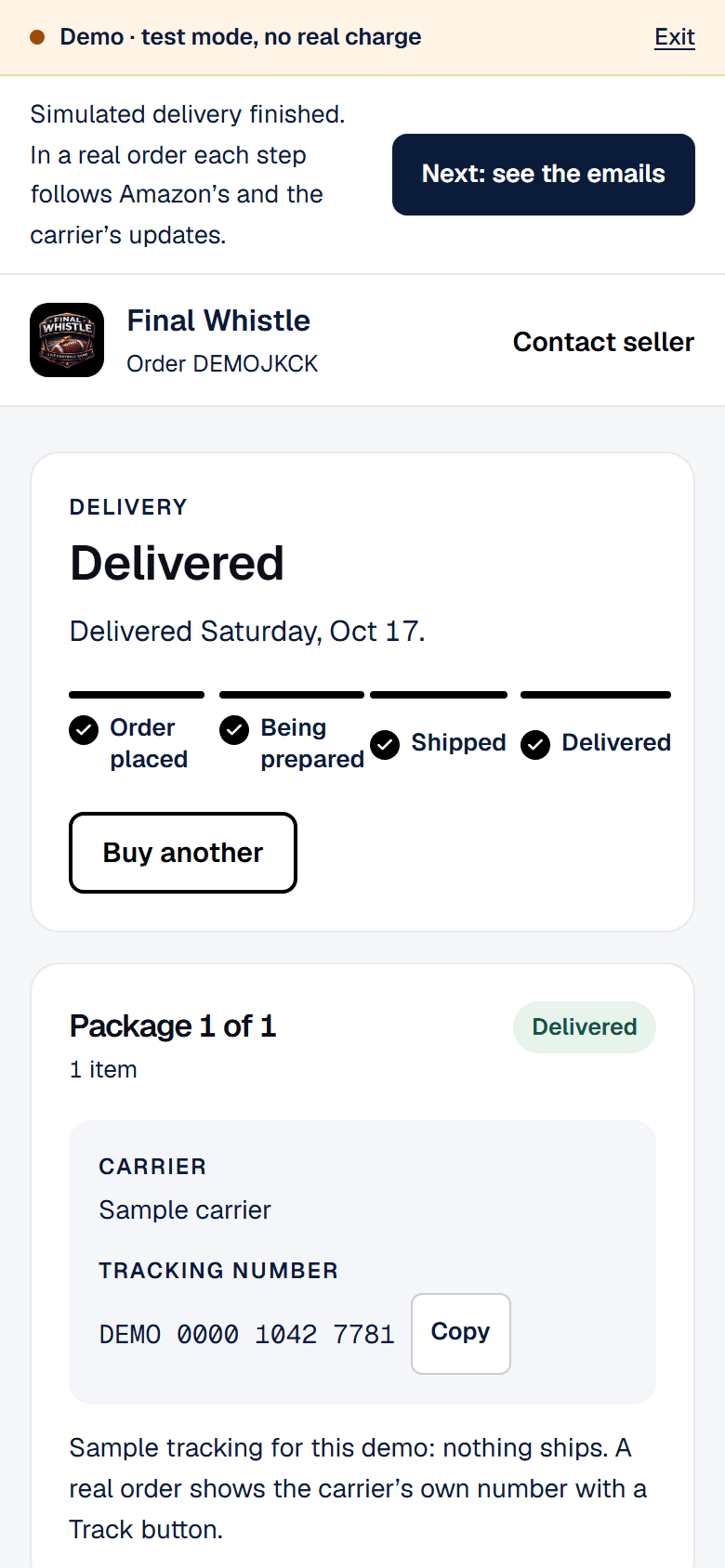
A private order hub in your name, with no account to create. It shows what they bought and paid (and any refund), each step as Amazon reports it, the carrier and tracking number for every package, an estimated delivery date when Amazon gives one, your support email (and phone and hours, if you add them), your returns policy, and a way to contact you. The thank-you page links to it, and so do order emails once they’re on for your account.
We check with Amazon before you publish and keep checking. While Amazon can’t ship the SKU, checkout is closed and the button shows your “not available” text. If Amazon rejects a paid order, it appears under Needs you so you can refund or retry.
You handle them. Issue full or partial refunds from the order in Convert Channel or from your Stripe Dashboard; they appear on the order and in your reports. Returns follow your own policy, and customer questions go to your support email.
It can. You can ask for unbranded packaging when your Amazon account allows it for the SKU; Amazon decides what it supports, chooses the carrier, and tracking may still show Amazon.
Tracking and reporting
Completed purchases, credited to the offer, placement, campaign and partner they came from. We don’t count clicks, visits or scans.
No. You agree a commission or flat fee with each partner and pay them yourself; you can note the terms on their record. Their statement shows what they sold and what was refunded.
Not yet. Team roles (owner, admin, read-only and accountant), each with their own sign-in, are built but aren’t on for any account yet.
Monthly statements and any custom date range, as Excel, CSV or PDF. In Excel and CSV each line carries its Stripe ID and, once the order is sent, its Amazon fulfillment ID.
No. Purchase links open Stripe Checkout, not your website, so they don’t pass search value. Keep a normal backlink for that.
Security and data
No. Card details are entered on Stripe’s checkout and never reach Convert Channel.
Passwords of 12 characters or more are required and known breached ones are refused. Optional two-step sign-in with an authenticator app. Your Amazon connection is stored encrypted.
Each business’s data is kept separate, and changes to settings and offers are recorded in your audit log. Our Privacy Policy explains what we collect and who processes it.
Grow beyond marketplaces.
Flat plans from $19 a month. No share of your sales.