Sell from print
QR code checkout
Choose the size for the print
Print-ready PDFs sized for how far away people will scan, plus PNG files for your own designs.
The code always opens the same link, so printed copies keep working when you edit.
Packaging, cards, labels
1 in (2.5 cm)Rule of thumb: up to about 10 in (25 cm). Test a printed copy.
Counter cards, table tents, flyers
2 in (5 cm)Rule of thumb: up to about 20 in (50 cm). Test a printed copy.
Posters read at arm’s length
4 in (10 cm)Rule of thumb: up to about 40 in (1 m). Test a printed copy.
How it works
- Step 1:
Print the code
Download a print-ready PDF at 1, 2, 4 or 8 in, or an SVG or PNG. Test one printed copy where customers will stand.
- Step 2:
A shopper scans it
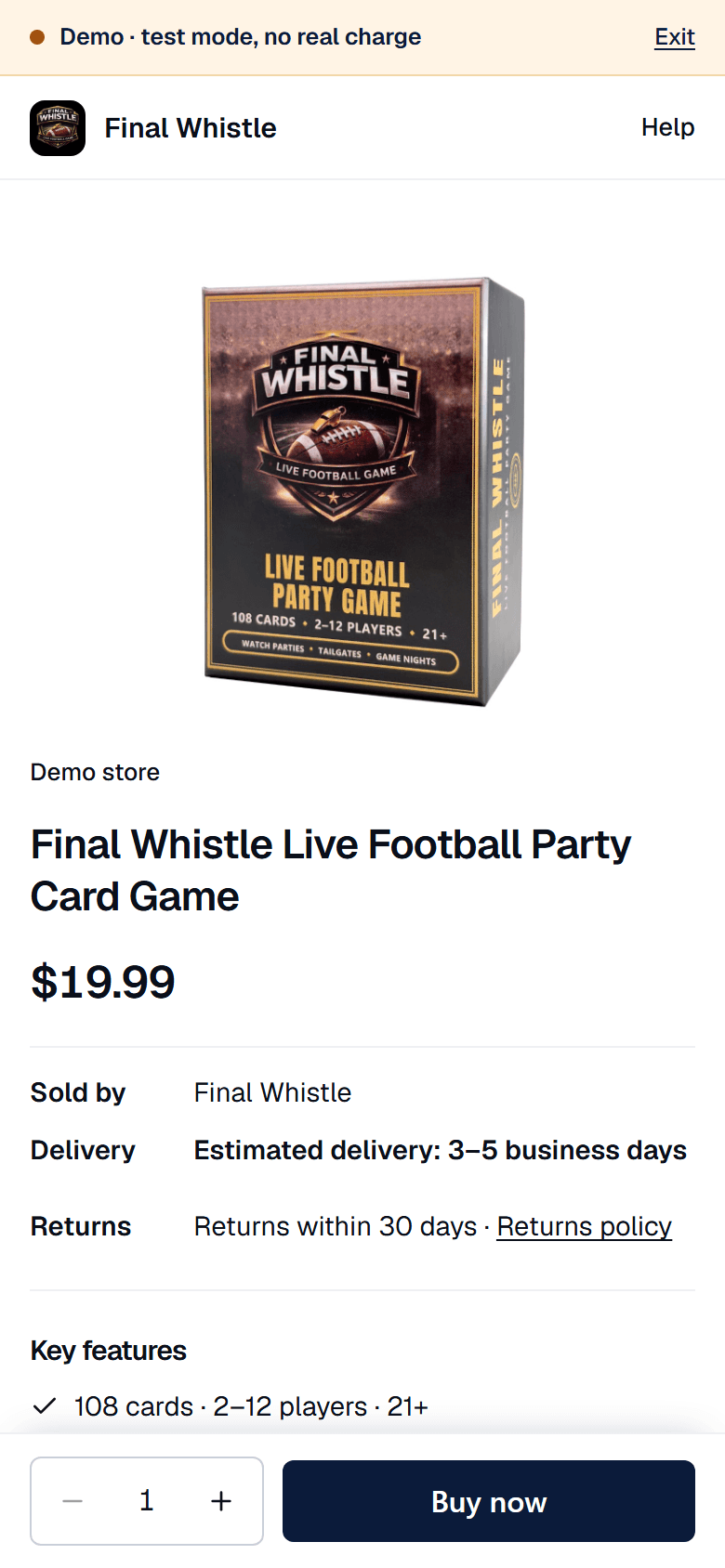
Their phone’s camera opens Stripe Checkout for the product, in your business name.
- Step 3:
The sale is credited
To the offer behind the code. Scans aren’t counted, only completed purchases.
What you get
- A checkout from print: packaging inserts, flyers and posters, booths, table tents and event signs.
- Print-ready PDFs at 1, 2, 4 or 8 in, each with a 1-inch measuring bar, plus SVG and PNG.
- Codes that keep working: edits change what a code opens, never the code.
- Pausing shows “Not available right now” and your contact to anyone who scans, instead of a broken page.
- Completed purchases in your reports. Scans aren’t counted.
Step by step, in detail
- Step 1:
Print the code
Download a print-ready PDF at 1, 2, 4 or 8 in, an SVG for banners and screens, or a PNG up to 2048 px. Print one copy at 100% and scan it where a customer would stand.
- Step 2:
A shopper scans it
Their phone’s camera opens Stripe Checkout for the product, in your name. From checkout they can go back to your product details: the product, the price, the estimated delivery and your returns line.
- Step 3:
They pay, Amazon ships
Stripe Checkout charges them on your own Stripe account. Amazon ships from your FBA stock, and they get an order hub with tracking.
- Step 4:
The sale is credited
To the offer behind the code. Print a tracking copy’s code for each flyer, venue or event to see each one’s sales on its own.
Example · Final Whistle
A flyer at a watch party
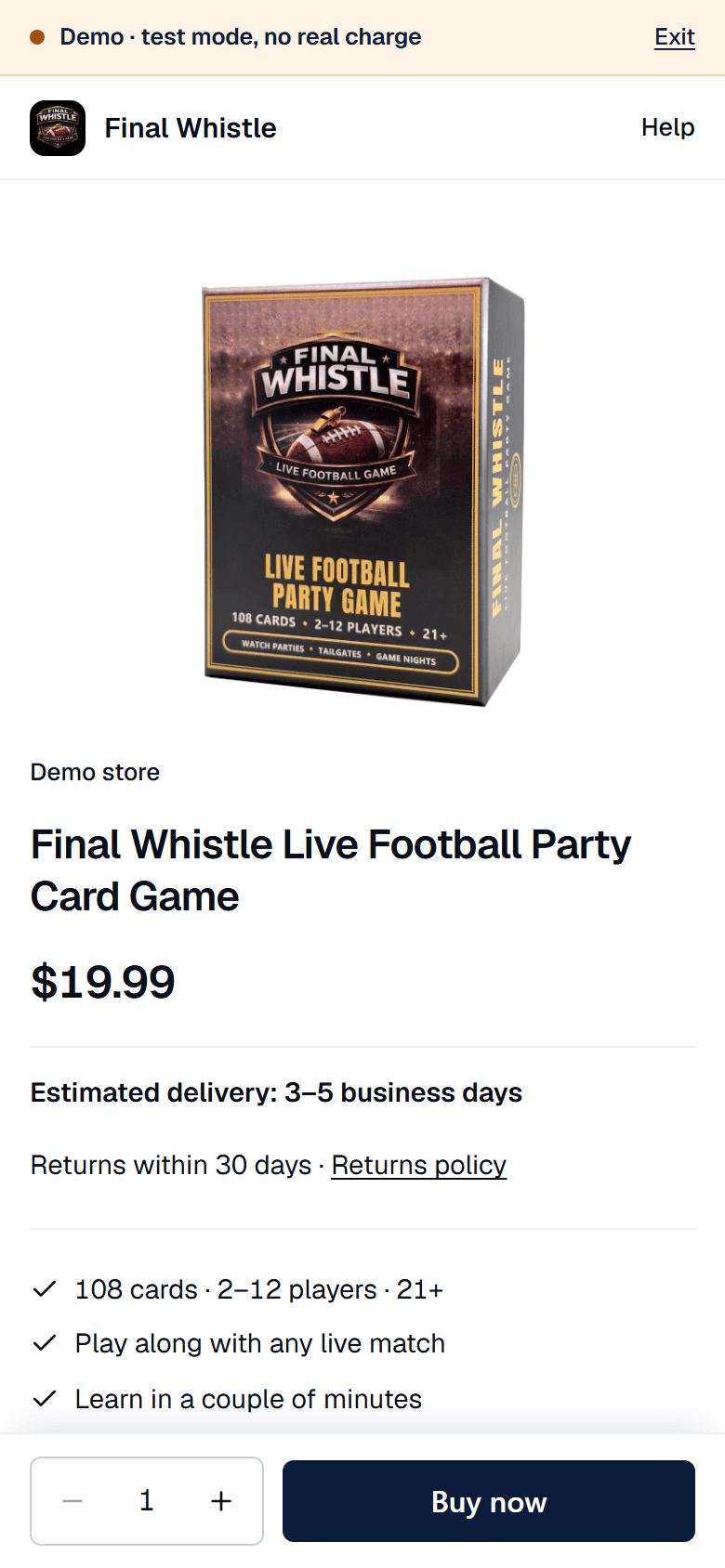
Final Whistle, the demo store, prints a 2-inch code on flyers for a game-day watch party. A fan scans it and Stripe Checkout opens for the Final Whistle Live Football Party Card Game at $19.99, in Final Whistle’s name.
They pay in Stripe Checkout. To see the watch party’s sales on their own line, Final Whistle prints a tracking copy’s code for it instead of the main one.
In depth
A growth catalyst, not another channel
Grow far beyond your current channels.
Keep your store and your Amazon listing. Convert Channel opens the other places your product is discovered and shows you what each one sells. Orders still ship from your Amazon FBA stock.
- New sales channelsReviews, creator posts, newsletters, flyers, packaging and events, each a place to buy.
- New customersPartners who already have their readers’ trust can feature your product with their own tracked link. Finding partners is up to you.
- Quick to addMake up to 50 tracking copies of a working offer at once, or import up to 200 drafts from a spreadsheet.
- Proof of what worksEvery offer’s sales in one view, so you can scale what sells.
01 · NEW CHANNELS
- ReviewsBuy button
- Creator postsShort link
- NewslettersPurchase link
- FlyersQR code
- PackagingQR code
- EventsQR code
- 02One offer per placementA buy button, purchase link or QR code, with its own tracking ID
- 03 · STRIPEThe customer pays youCheckout in your name, on your own Stripe account. Stripe pays out to your bank on your payout schedule.04 · AMAZON MCFAmazon ships itFrom your FBA stock, once Amazon accepts the order. Tracking goes on the customer’s order hub, as Amazon reports it.
- The sale is credited to the placement that made itKeep selling through your marketplace listings and D2C store. Add more places to buy.
Omnichannel by design
Where a QR code fits.
Same product, same price, same checkout, online or off. Give each placement its own offer and see exactly what it sold. Digital placements take a button or a link; physical ones take a QR code.
- Product packagingPhysicalInserts, labels and boxes. Format: QR code.
- Flyers and postersPhysicalHandouts, mailers and print ads. Format: QR code.
- Events and venuesPhysicalBooths, tables and screens. Format: QR code.
Print it right
Which size to print.
Every size is a print-ready PDF with a 1-inch measuring bar. Print one copy at 100% and scan it where a customer would stand before printing in bulk.
| Size | Scans from | Good for |
|---|---|---|
| 1 in (2.5 cm) | up to about 10 in (25 cm) | Packaging, cards, labels |
| 2 in (5 cm) | up to about 20 in (50 cm) | Counter cards, table tents, flyers |
| 4 in (10 cm) | up to about 40 in (1 m) | Posters read at arm’s length |
| 8 in (20 cm) | up to about 6 ft (2 m) | Wall signs. Prints on 11 × 17 in (tabloid) or A3 paper |
Choose the QR code in the demo store and see what a scan opens.
About a minute. No real charge, nothing ships, no email is sent.
Questions
Does Convert Channel count QR code scans?
No. Reports cover completed purchases, refunds, disputes and Stripe fees. A scan that doesn’t lead to a purchase isn’t recorded.
Can I tell QR code sales from purchase-link sales?
Not within one offer: the QR code and the purchase link open the same checkout. Print a tracking copy’s code when you want a flyer or venue reported separately.
What size should I print?
About one tenth of the scanning distance: 1 inch for something held in the hand, 4 inches for a poster read from about 3 feet. Test one copy at the real distance first.
Do printed codes stop working if I change the price?
No. The code always opens the same purchase link, and checkout shows the offer’s current price. A paused offer shows its “not available” text instead.
Why can’t I save some colors?
So phones can read the code. Low-contrast pairs are refused: the code must be very dark and the background very light.
One flat price. No share of your sales, no fee per order.
Flat plans from $19 a month.