Reports
Monthly statements
What you get
What comes with it on every plan.
Months close on schedule after a wait for late fees and refunds, and a closed month never changes.
- One statement per month, in your business time zone.
- PDF for a quick read, Excel with Summary, Activity, adjustments, by offer and by partner, and CSV with every reference.
- Stripe fees split into processing and dispute fees; fees not reported yet show as Pending, never as $0.00.
- Partner statements without customer details, fees or your Stripe and Amazon references, closed on the same schedule.
- Each currency totaled on its own; amounts are never converted or added together.
- Live activity for any dates when you need figures before a month closes.
How it works
- Step 1:
The month runs
Sales, refunds, disputes and Stripe fees post as they happen.
- Step 2:
It closes
On schedule after a wait for late fees and refunds, or when you close it yourself.
- Step 3:
It never changes
Its PDF, Excel and CSV show the same figures every time. Later items post to the next open month.
Step by step, in detail
- Step 1:
The month runs
Sales, refunds, disputes and Stripe fees post as they happen, each with its Stripe payment and Amazon order references. Figures can still change.
- Step 2:
Late items arrive
By default we wait 5 days after month end for late Stripe fees and refunds, or any number of days from 3 to 20 you choose. Then we check that payments, refunds and disputes have reached us.
- Step 3:
It closes
Automatically at 6:00 a.m. your time, on day 6 by default, or when you close it yourself. You can postpone a close once, by up to 10 days.
- Step 4:
It never changes
Its PDF, Excel and CSV show the same figures every time. A refund or fee that arrives later posts to the next open month, marked late, with its original date.
Example · Final Whistle
A September sale refunded in October
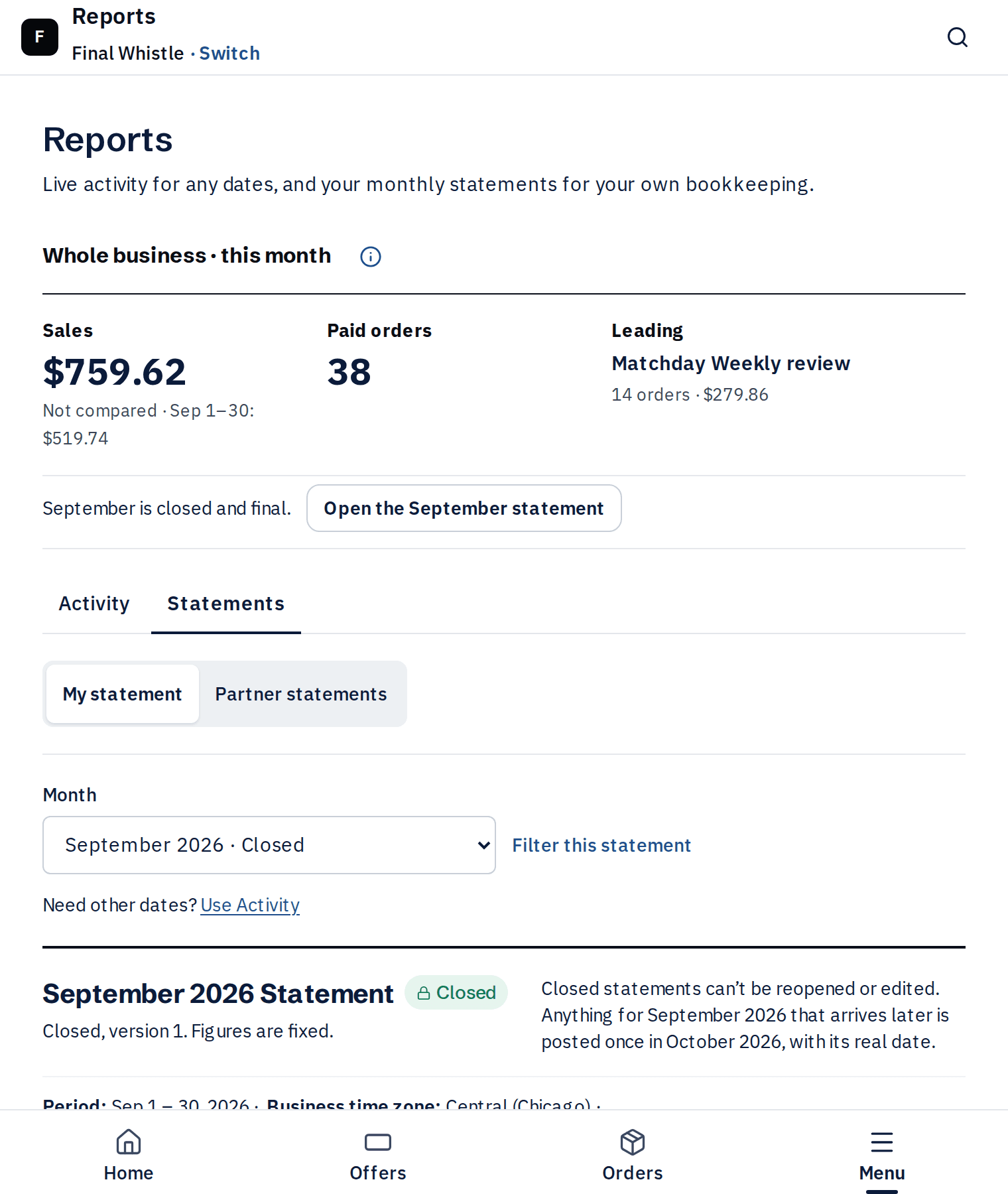
Final Whistle’s September 2026 statement covers Sep 1–30 in America/Chicago and is closed: 26 orders, $519.74 in item sales, $22.88 in Stripe fees and $496.86 in net payment activity.
If a refund for a September sale arrives on Oct 12, September’s files don’t change. The refund posts to October, marked late, linked to the September sale and its date.

In depth
Month-end close
Each month closes into a statement that doesn’t change.
Each month gets one statement. We wait for late Stripe fees and refunds, then it closes on your schedule, or when you close it yourself. After that its figures never change, so the numbers you and your partners use stay the same.
October 2026 · how a month closes, with the default timing
Closed Nov 6, 6:00 a.m. CT- Oct 1–31Month is openSales, refunds and fees post live. Figures can still change.
- Nov 1–5Late activity window5 days for late Stripe fees and refunds to arrive.
- Before closingCompleteness checksWe check that payments, refunds and disputes have reached us.
- Nov 6 · 6:00 AMStatement closesAutomatically, in your time zone. Or close it yourself, or postpone it once by up to 10 days.
- After closeFrozen for goodOctober’s Excel, CSV and PDF never change. A late October refund posts in November’s statement, marked prior period: October.
Late activity
A refund for an October sale arrives on November 12.
October stays exactly as it closed. The refund posts to November, and its line shows the period it belongs to. Nothing you’ve already sent changes.
| Date | Item | Period | Amount |
|---|---|---|---|
| Nov 10 | Sale · 7K2QM9TB · Final Whistle | Nov 2026 | $19.99 |
| Nov 12 | Refund · 4H8RWX2C (sold Oct 28) | Prior: Oct 2026 | −$19.99 |
| Nov 13 | Stripe fee reported late · 9D3FJN6E | Prior: Oct 2026 | −$0.88 |
| Nov 14 | Sale · 2M6VKP8A · Final Whistle × 2 | Nov 2026 | $39.98 |
- One statement per month
- Late refunds never rewrite a closed month
- Partner statements close on the same schedule
- Custom date ranges for live figures
- Built for your accountant
See a sale from the shopper’s side before it reaches your statement.
About a minute. No real charge, nothing ships, no email is sent.
Questions
Can a closed month change?
No. A closed month’s files show the same figures every time you download them. Corrections and late activity post to the next open month.
Do statements include clicks or traffic?
No. Statements cover completed purchases, refunds, disputes, Stripe fees and, if you turn it on, payouts.
Does every line carry its Stripe and Amazon IDs?
In the Excel and CSV files, yes: each line carries its Stripe ID and, once the order is sent to Amazon, its Amazon fulfillment ID, so your accountant can match it. PDF statements and partner files leave them out.
Can I share a statement with a partner?
Yes. Choose that partner’s statement: it lists their sales and refunds and leaves out customer details, fees and your Stripe and Amazon references.
Is there a record of changes to my account?
Yes. The audit log records changes to offers, settings and billing: who made each change, the values before and after, and when, in your business time zone. You can download it as CSV.
Does Convert Channel file my sales tax?
No. Statements show tax collected through Stripe where Stripe Tax is on; registering and filing stay with you.
One flat price. No share of your sales, no fee per order.
Flat plans from $19 a month.